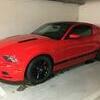
January 7, 20197 yr comment_164847 Nästa fundering från en som lär 🤔 på min baklucka sitter det en "plastplupp !!" mitt på luckan, ser att en del har denna och saknas på vissa bilar. Någon slags "antenn" eller vad är funktionen för denna ( om det är någon funktion !!) Report
January 7, 20197 yr comment_164851 1 timme sedan, janne6b said: Glömde ! årsmodell är 2014 på Mussen Vad jag har förstått det som så är det anten för gps/satellitradio 🙂 Report
January 8, 20197 yr comment_164855 Den finns på bilar som är utrustade med Sirius satellit och GPS radio, funkar tyvärr inte i swedala. Report
January 11, 20197 yr Author comment_164882 Okay, då vet jag vad det är för "plastbit" som sitter där 😎 tack för svaret Report

Join the conversation
You can post now and register later. If you have an account, sign in now to post with your account.
Note: Your post will require moderator approval before it will be visible.