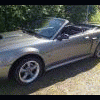
June 24, 201114 yr comment_105625 Är sugen på en Mustang igen, har ägt en -68 och importerade en -95 ifrån Tyskland för många år sedanHittade denna på nätet, köp tips uppskattashttp://www.blocket.se/goteborg/Ford_....htm?ca=15&w=2kollar på musse 94-95 men hittade denna fina bilKöp tips, och kända fel på musse 94-95 och -99
June 24, 201114 yr comment_105626 Är sugen på en Mustang igen, har ägt en -68 och importerade en -95 ifrån Tyskland för många år sedanHittade denna på nätet, köp tips uppskattashttp://www.blocket.se/goteborg/Ford_....htm?ca=15&w=2kollar på musse 94-95 men hittade denna fina bilKöp tips, och kända fel på musse 94-95 och -99http://grufmanbil.se/webshop/mektips...stang99-04.pdf
June 28, 201114 yr Author comment_105702 följd fråga, automat eller manuell? vilken ligger högst i pris?
June 28, 201114 yr comment_105716 Jag tror inte det spelar någon större roll. Helt upp till köparen vad han vill ha.


Join the conversation
You can post now and register later. If you have an account, sign in now to post with your account.
Note: Your post will require moderator approval before it will be visible.