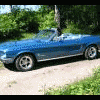
Bengy May 3, 2011 Report Share May 3, 2011 Har en 68:a cabbe utan tillstymmelse till bälten och har funderingar på att installera. Har sökt på forumet men hittar inget om cabbar och bälten. Skulle man kunna montera 3-punktsbälten eller får man nöja sig med midjebälte? Tänker både på fram och baksäte. Rullbälten bekvämast men vill inte gärna "inverka" eller "förstöra" för mycket på bilen.Tacksam för tips. Citera Link to comment Share on other sites More sharing options...
kjorran May 3, 2011 Report Share May 3, 2011 Har sett det på forumet men kommer inte ihåg var, men prova med P-O regionansvarig i Västerbotten, han har en -68 cab. Det kan ha varit nån tråd han lagt ut/ deltagit imvh/jörgen Citera Link to comment Share on other sites More sharing options...
JanneJ May 3, 2011 Report Share May 3, 2011 Här är det: http://www.mustangclubsweden.org/showthread.php/13945-Säkerhetsbälte-i-cab Citera Link to comment Share on other sites More sharing options...



Recommended Posts
Join the conversation
You can post now and register later. If you have an account, sign in now to post with your account.
Note: Your post will require moderator approval before it will be visible.